Mini Projector: WiFi, Bluetooth, Electric Focus & Auto Keystone
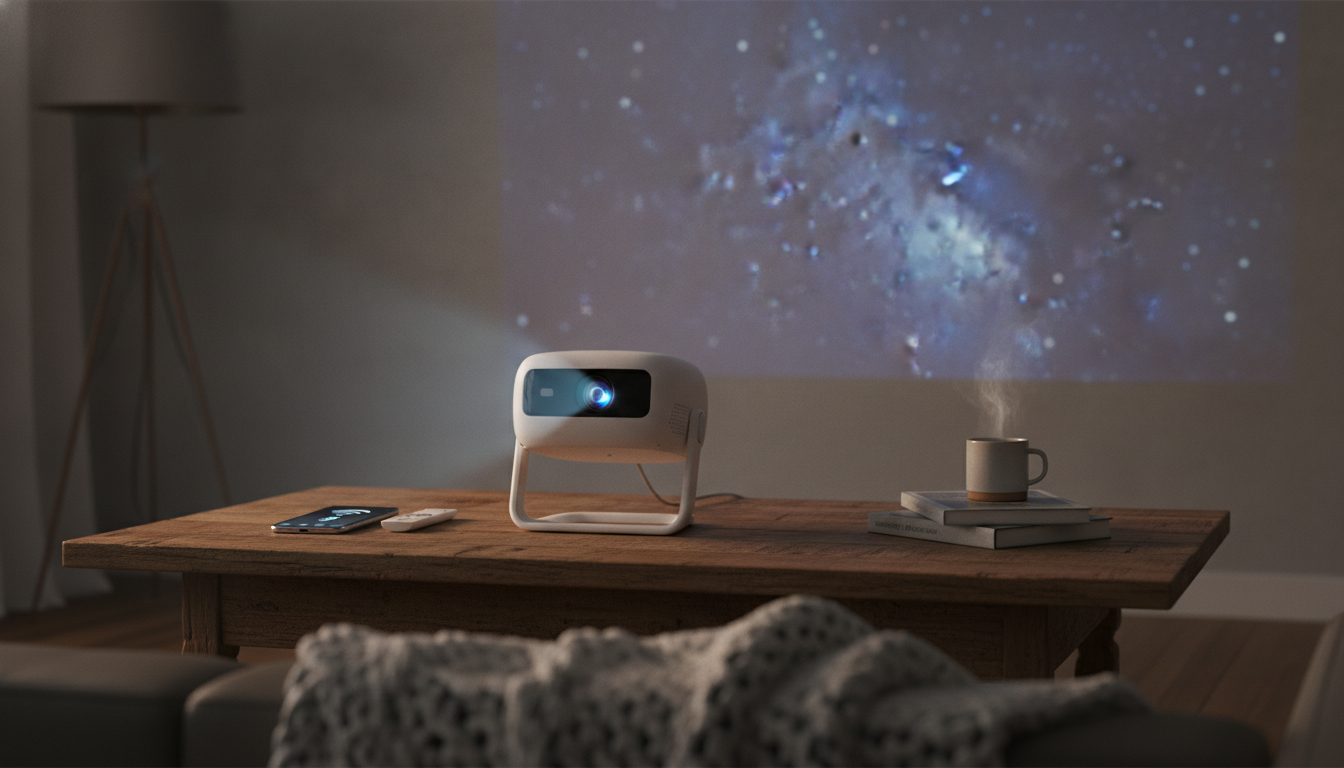
Mini Projector with WiFi and Bluetooth: Big-Screen Convenience Without the Big Setup
A compact projector can turn a bedroom wall, living room, or backyard screen into an easy movie-and-game setup—if it’s quick to connect, simple to align, and sharp enough for everyday viewing. This mini projector combines WiFi and Bluetooth with electric focus and auto keystone, aiming to reduce setup time while keeping the image clean and watchable.
What This Mini Projector Is Built For
This style of projector is made for flexible, casual viewing where speed matters more than permanent installation. Instead of committing to a mounted TV (or drilling into walls), you can set it on a table, aim it at a wall or screen, and get to watching sooner.
- Fast, low-fuss setup for casual home cinema, kids’ rooms, dorms, and travel.
- Wireless convenience for screen mirroring and easy audio pairing without extra adapters.
- Electric focus for sharpness adjustments from the seating area instead of walking up to the lens.
- Auto keystone to correct angled placement when the projector can’t sit perfectly centered.
Standout Features That Reduce Setup Time
WiFi screen sharing (fewer cables, faster starts)
WiFi mirroring is designed for quick playback from compatible phones, tablets, and laptops. It’s especially handy for spontaneous movie nights, sharing vacation clips, or pulling up a workout video without dragging an HDMI cable across the room. WiFi capabilities and certification details vary by device ecosystem; the Wi‑Fi Alliance is a helpful reference for how Wi‑Fi certification works.
Bluetooth audio (easy sound upgrades)
Built-in projector speakers are often “fine in a pinch,” but Bluetooth makes it simpler to pair a soundbar, portable speaker, or headphones for clearer dialog and stronger volume. For background on Bluetooth standards and profiles, see the Bluetooth Core Specifications.
1080p support (everyday sharpness for movies and shows)
1080p support is meant to keep full-HD sources looking crisp enough for regular TV, streaming, and sports—particularly when you’re close enough to see soft edges on older, lower-resolution units. The practical benefit is cleaner text, more defined facial features, and less “mushiness” in detailed scenes.
Electric focus (sharpen from where you sit)
Moving the projector even slightly can throw off sharpness. Electric focus lets you refine clarity after changing placement or distance, without hovering over the unit and nudging a focus ring. For shared spaces where the projector gets moved often, this is one of the most time-saving upgrades.
Auto keystone (less fiddling when placement isn’t perfect)
If the projector sits a bit off-center or at a small tilt, keystone correction helps restore a more rectangular picture. It’s a practical assist for side tables, shelves, and quick setups—especially in rooms where the “ideal” position blocks a walkway or isn’t available.
Quick Comparison: Wireless Convenience vs. Cable-First Setups
Wireless options are great for quick sharing and casual viewing, while wired connections still lead when reliability and consistency matter most (like gaming). HDMI remains the most universal wired choice; the HDMI specification overview provides a deeper look at the standard.
| Setup method | Best for | Strengths | Trade-offs |
|---|---|---|---|
| WiFi screen mirroring | Phone/tablet sharing, quick movie nights | Fewer cables; easy to start | May depend on device compatibility and network conditions |
| HDMI cable input | Gaming consoles, streaming sticks, laptops | Stable signal; consistent quality | Requires cable routing and a nearby source device |
| Bluetooth audio output | External speaker or headphones | Better sound and volume than built-in audio | Audio-only; still need WiFi/HDMI for video |
| Auto keystone + electric focus | Flexible placement (side table, shelf) | Faster alignment and sharpness tuning | Best results with moderate angles, not extreme offsets |
Placement and Picture Tuning Tips
- Start with the surface: A flat, light-colored wall can work, but a proper projection screen typically improves contrast and perceived sharpness.
- Center when possible: Place the projector as straight-on as you can. Use auto keystone to fine-tune when perfect alignment isn’t practical.
- Focus for the corners: After moving the unit, use electric focus and check corner clarity—not only the center—so subtitles and UI elements stay readable.
- Control ambient light: Dimming the room (or closing curtains) often has a bigger impact than most settings tweaks, helping colors look richer and blacks look less gray.
- Outdoor basics: For backyard viewing, prioritize darkness and a matte screen. Secure the projector on a stable surface; wind and uneven ground can shift alignment.
Connectivity and Device Compatibility Notes
Who This Projector Fits Best
Product Snapshot and Where to Buy
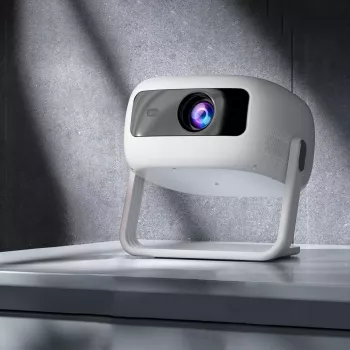
- Mini Projector with WiFi and Bluetooth – 1080p, Electric Focus, Auto Keystone
- Designed for quick wireless sharing, easy audio upgrades, and simplified image alignment.
- Current availability may vary; check the product page for pricing and stock status.
More in-stock picks
- EMS Eye Massager with LED Photon Therapy and Heating Vibration for Anti-Aging
- The Midday Energy Crash Mystery – Post-Meal Fatigue Guide, Digestion & Energy Balance eBook, Smart Eating Digital Download
- Stress-Free Pet Adventures – A Complete Pet Travel Guide for Calm, Happy Trips | Digital Download eBook for Dogs & Cats
FAQ
Does Bluetooth send video to the projector?
No. Bluetooth is typically used for audio output to speakers or headphones; video is usually delivered through WiFi screen mirroring or a wired connection like HDMI.
Will auto keystone make the picture perfectly rectangular from any angle?
Auto keystone helps correct moderate off-center or tilted placement, but extreme angles can still soften edges or reduce corner clarity. For the cleanest picture, keep the projector as straight-on as the room allows.
Why does screen mirroring sometimes fail with streaming apps?
Some apps limit mirroring due to content protection rules, which can block playback even if mirroring works for other content. Using a streaming stick or other player connected via HDMI is often the most reliable alternative.







Leave a comment